01
Discover
Meet your color season.
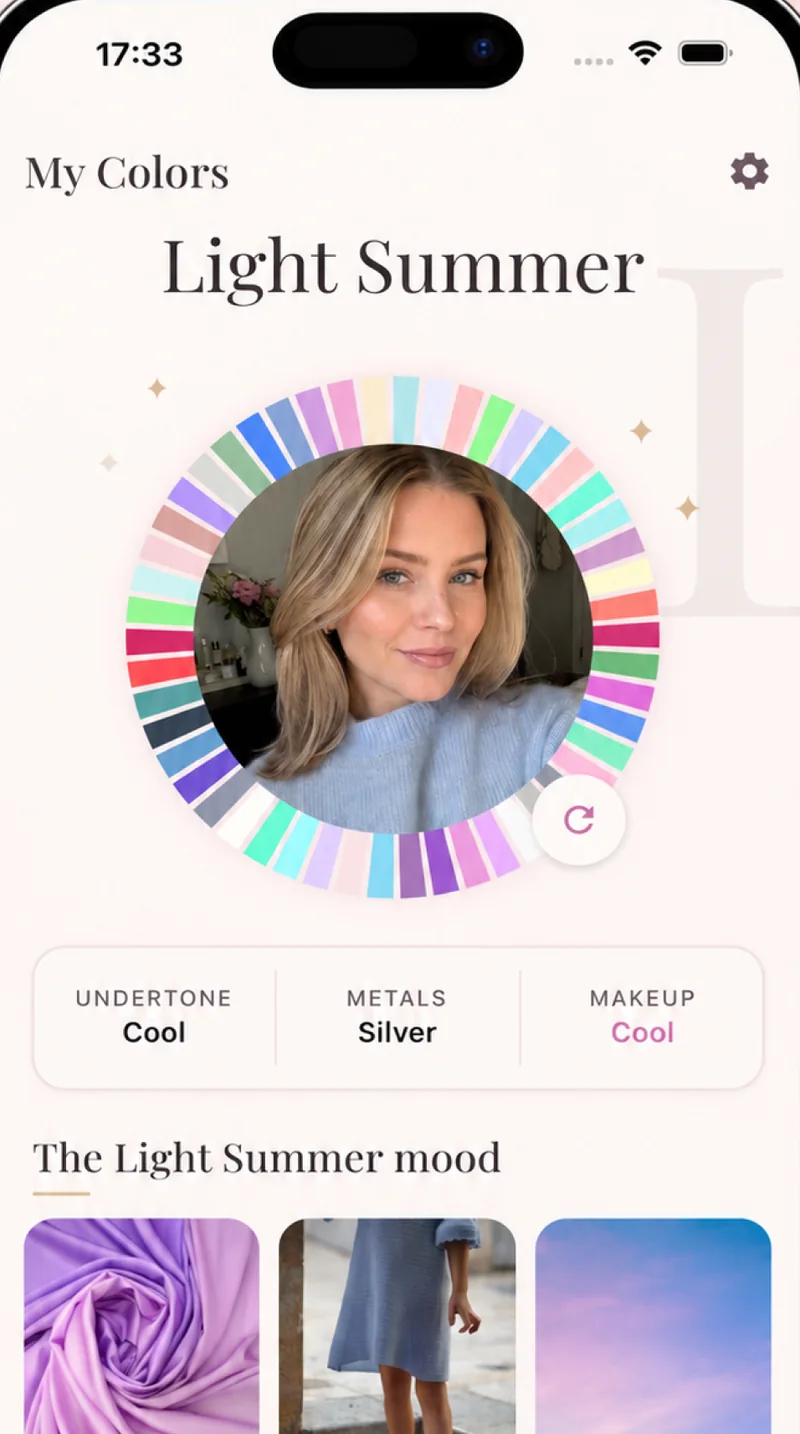
Take a natural-light selfie. ToneLily reads your skin undertone, hair, eyes, and contrast to identify your 12-season palette.
 ToneLilyGet the app
Find the colors that feel like you.
One selfie reveals your color season, personal palette, best makeup shades, and the clothes that naturally flatter you.


Free color analysis · No questionnaire · Results in seconds
From selfie to certainty
ToneLily turns color theory into everyday decisions. Discover your season once, then bring your palette into your makeup bag, wardrobe, and every fitting room.
Discover
Take a natural-light selfie. ToneLily reads your skin undertone, hair, eyes, and contrast to identify your 12-season palette.
Try
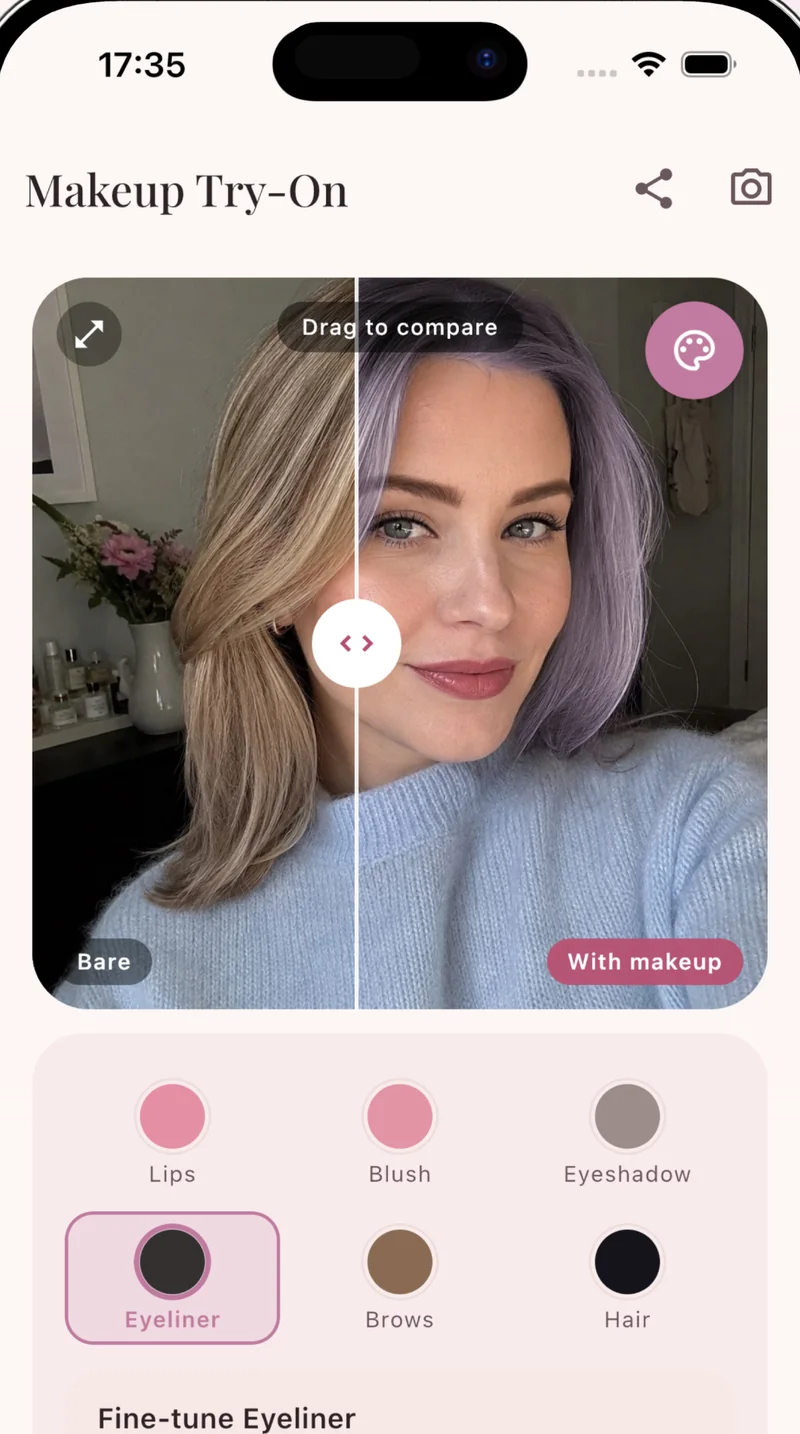
Compare makeup and hair colors on your own photo before making a change—or adding another almost-right shade to your drawer.
Check
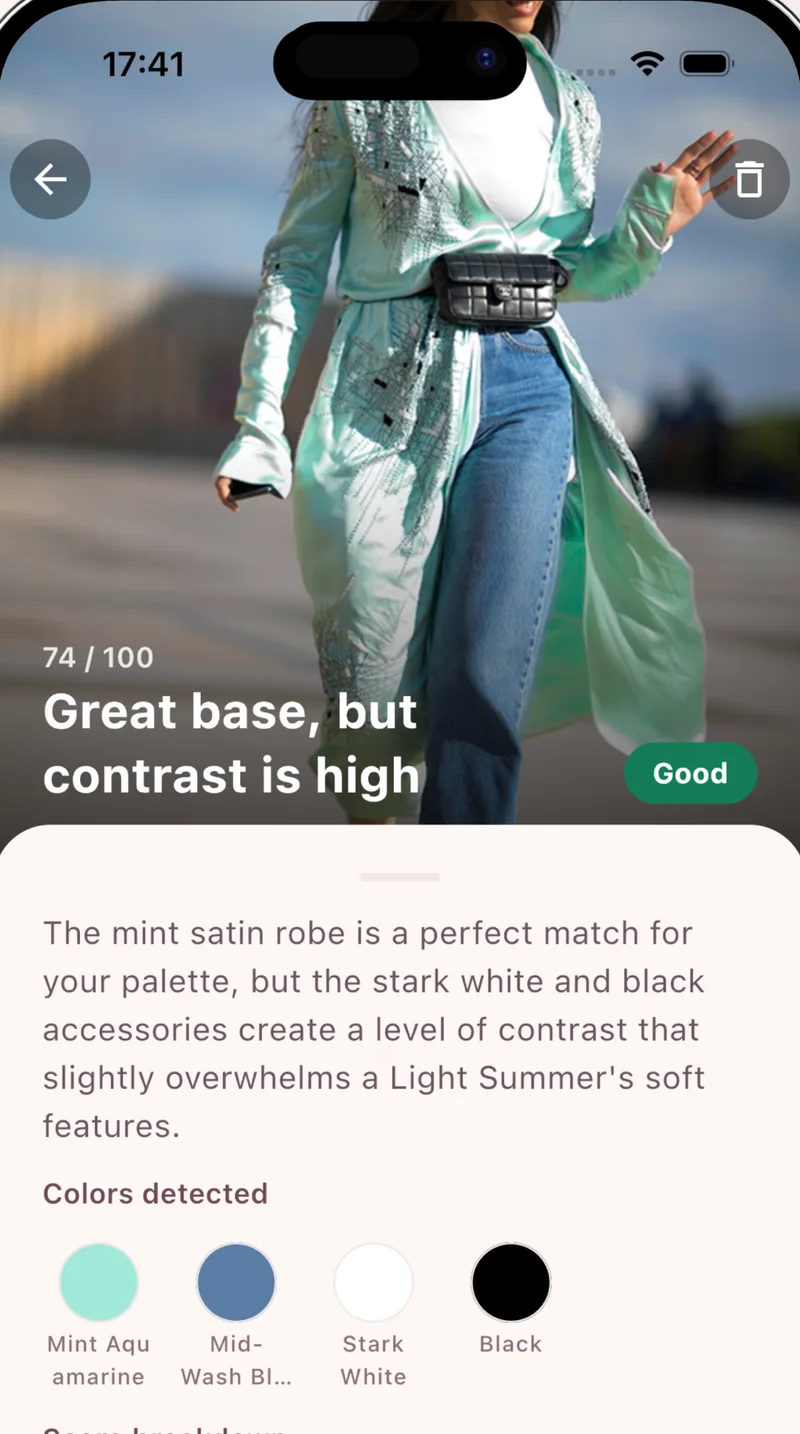
Photograph an outfit and get a clear match score, the colors detected, and a useful explanation—not just a yes or no.
Your palette, in your pocket
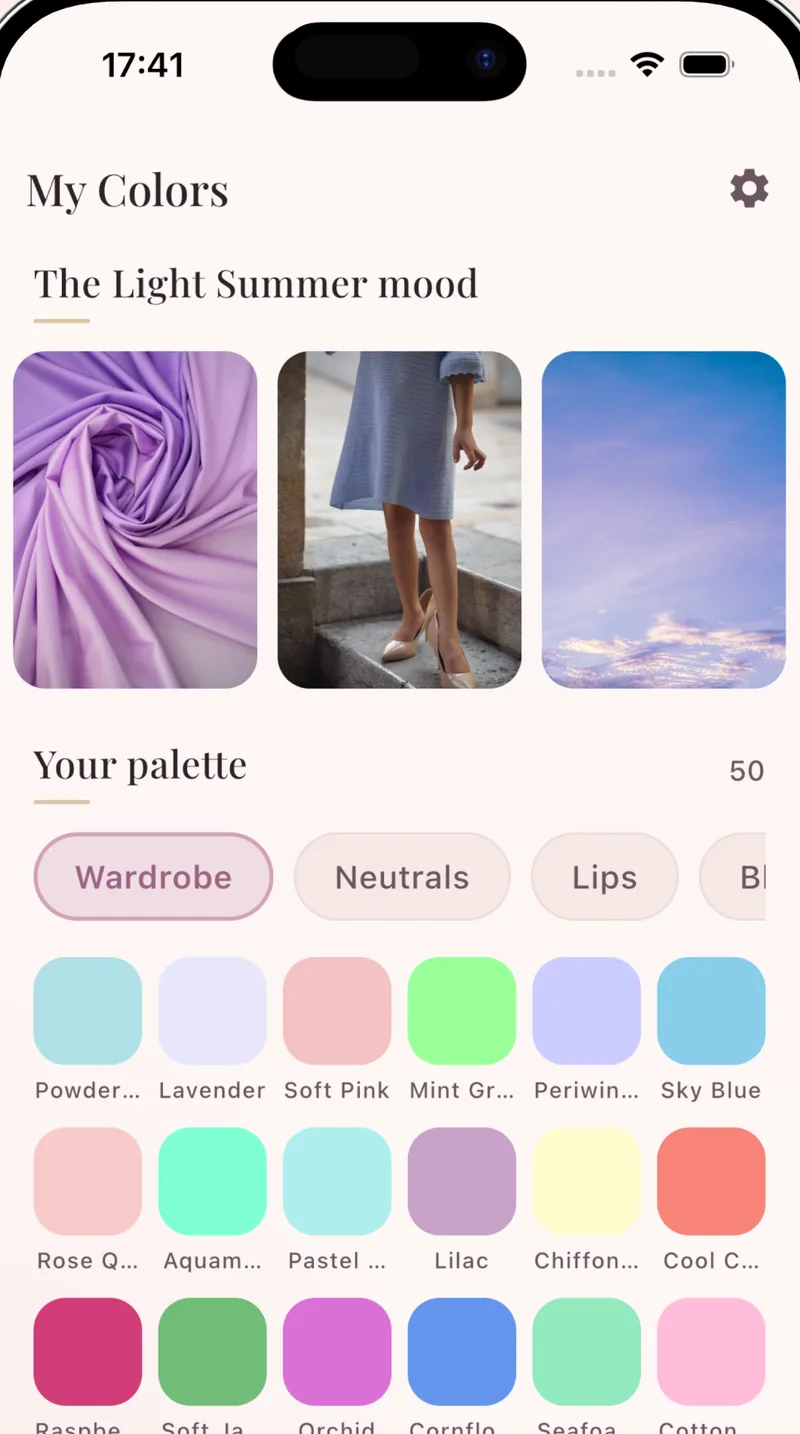
Keep your wardrobe, neutrals, makeup, metals, and accent colors together—ready whenever you shop.
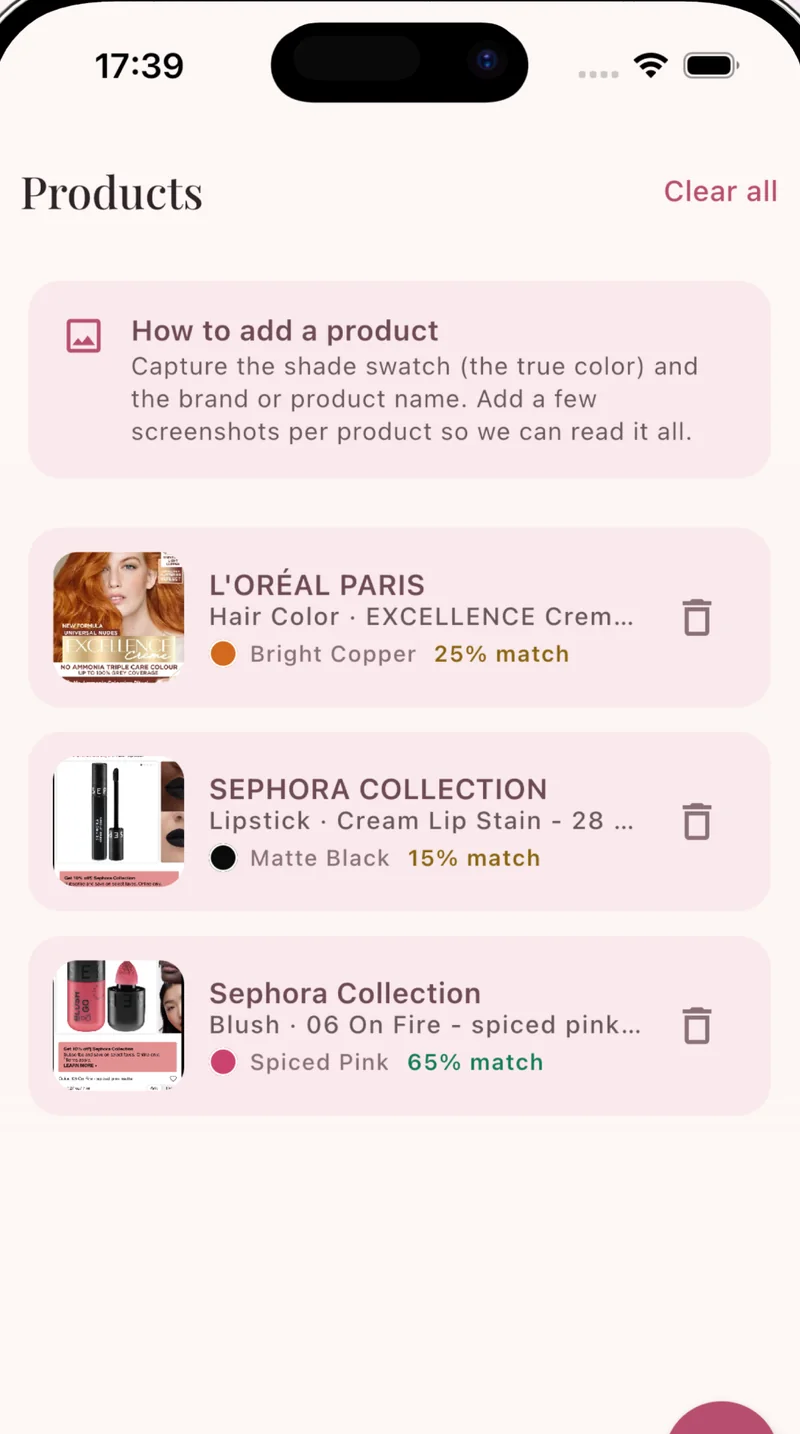
Smarter shopping
Add a lipstick, hair color, or garment from a photo. ToneLily finds the shade and checks it against your palette, so fewer purchases end up forgotten at the back of a drawer.
Bring your palette shoppingYour closet, on you
Snap a garment in the fitting room or pick pieces from your closet. ToneLily shows you wearing the outfit and tells you how well its colors work with your season.
The 12 color seasons
Seasonal color analysis sorts everyone into one of 12 seasons by undertone, depth and contrast. Explore each palette, or take the free quiz for a quick estimate.
A little color clarity
Your color season is a palette built around the undertone, depth, and contrast of your natural coloring. ToneLily uses the 12-season system, from Light Spring to Deep Winter.
Use a clear, front-facing selfie in soft natural daylight. Skip filters, heavy makeup, and strongly colored light so ToneLily can read your natural features.
Yes. Add a full-body photo once, then pick up to three pieces from your closet. ToneLily shows you wearing the outfit, together with a color match score for your season.
Yes. Photograph a garment to get a palette match score and a plain-language explanation of how its colors work with your season.
Photos are only sent for AI analysis after you agree to it in the app, and results are stored on your device. We never use your photos to train AI models, and you can delete them at any time. Details are in our Privacy Policy.
You can start with a free color analysis. Optional premium access unlocks additional analyses, virtual try-ons, product checks, and wardrobe features.
Your colors are waiting
Find your season and carry your best colors everywhere you go.